THE QUIET SIDE OF GAMING

A little patience.
A golden catch.

Meet Golden Hook: a pocket-sized escape for players who like a thoughtful cast and a collection that keeps growing.

Golden Hook: Cozy Idle Fishing app iconGolden Hook: Cozy Idle Fishing

Independent game guide. Not affiliated with the developer or Google Play.
Guide checked 30 September 2026.

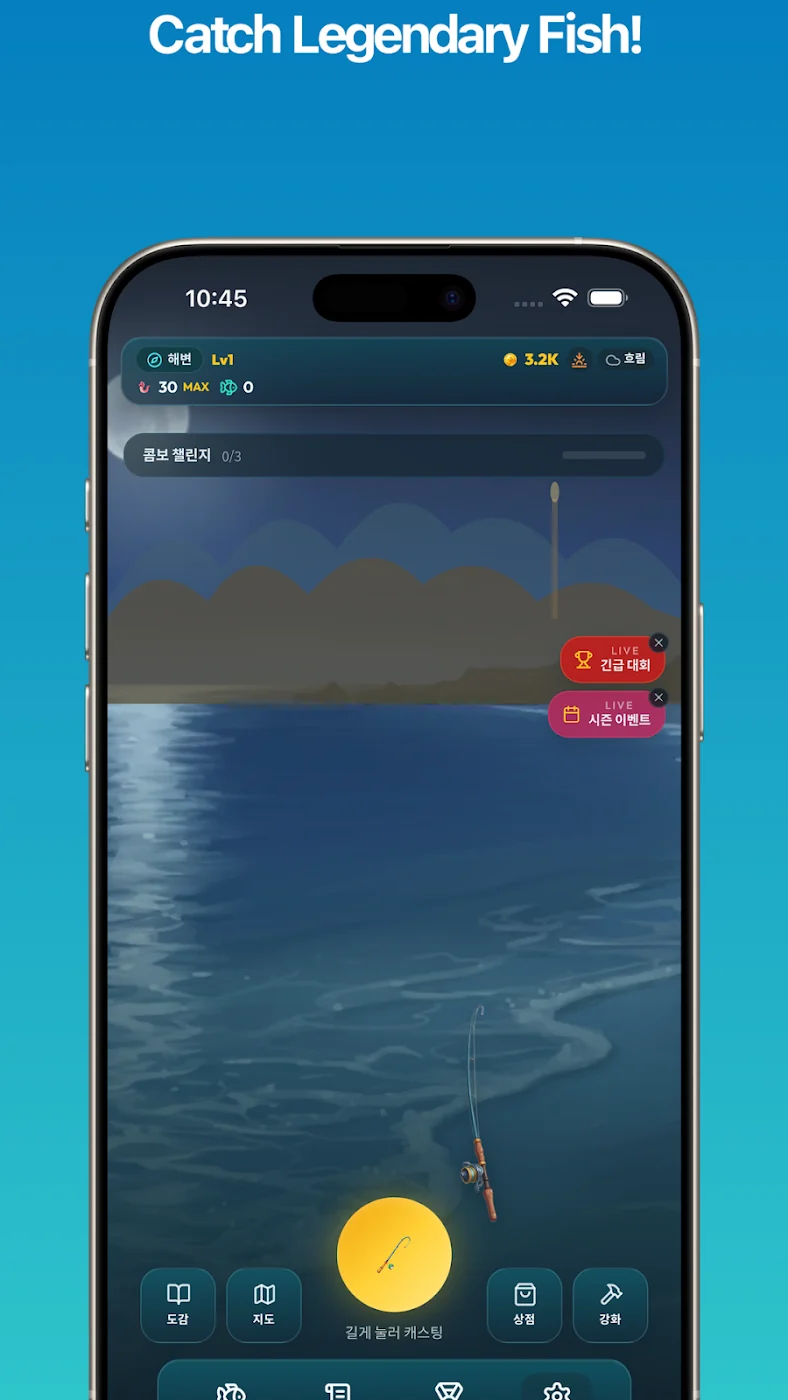
The fishing view in the official store artwork.
Game style
Idle fishing & collecting
Developer
Studio Solum
Age rating
Everyone
Store downloads
50+ at review

THE IDEA

A good reason to slow down.

Golden Hook combines timed fishing with idle progression, an aquarium and a fish collection. The appeal is deciding what a small session should be about: learning a catch, choosing an improvement or simply looking at what you have collected.

Our suggested approach is to give each visit one purpose. A collection game can become a long list of things to finish; a single, achievable aim makes it easier to enjoy the details. Start with the fishing itself, then decide which part of the wider progression interests you.

Source: Golden Hook: Cozy Idle Fishing on Google Play. Official listing and screenshots checked 30 September 2026; availability and app details can change.

HOW IT COMES TOGETHER

Three things to pay attention to.

Timing before speed

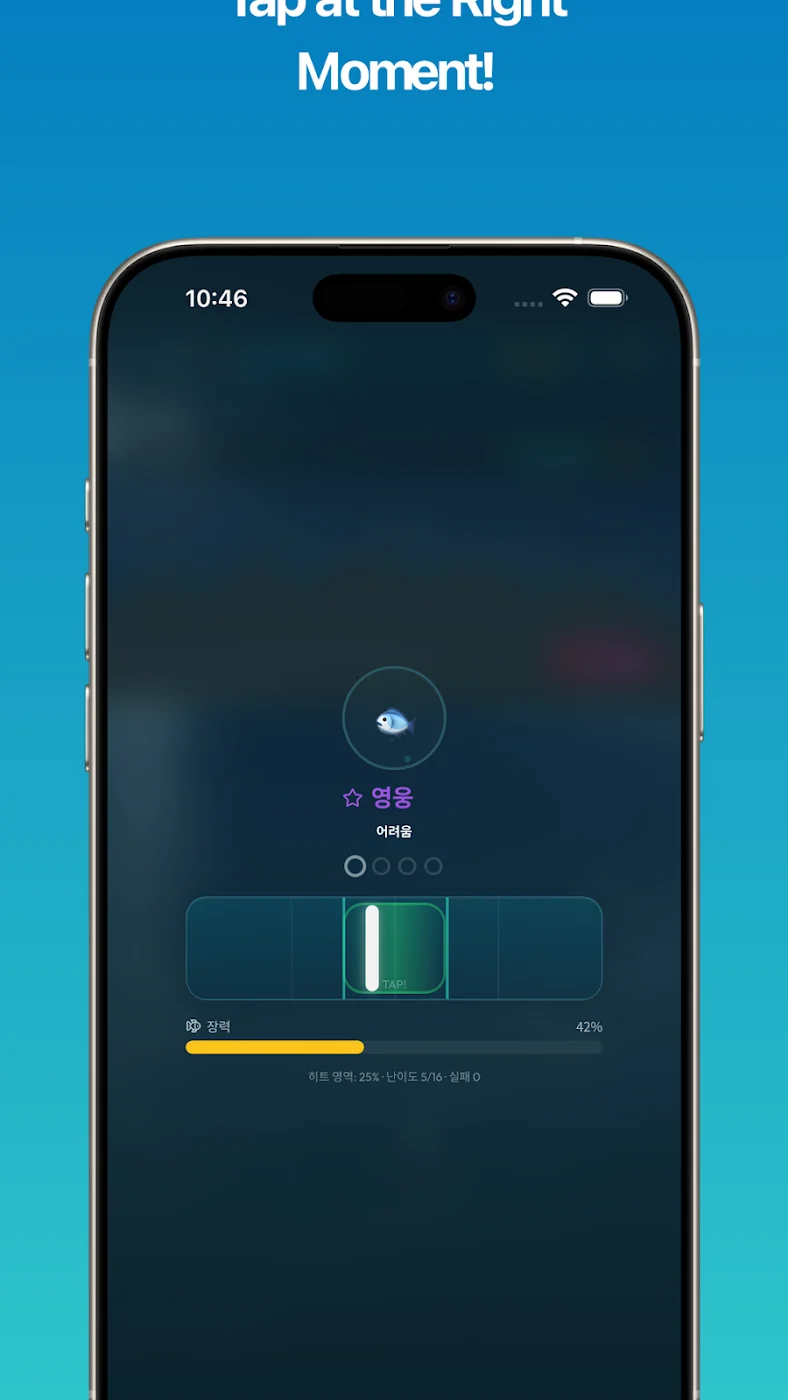
The active fishing sequence rewards attention to the cue. On an unfamiliar screen, read the instruction before tapping repeatedly. Try to connect each response with its result, especially when an attempt ends differently from the previous one.

An upgrade with a purpose

Rods, bait and crew are part of the progression. Our advice: decide what you want an improvement to help with before spending resources. Keep the current goal small enough that you can tell whether the change actually helps.

A collection worth revisiting

The game describes more than 82 species across eight fishing spots. A useful personal habit is to choose a missing entry to investigate, rather than judging every visit by the total number of catches.

YOUR FIRST SESSION

Start small. Learn the rhythm.

  1. Start at the official listing

    Check the app name and developer, then let Google Play confirm compatibility. Review any permissions and purchase settings before your first session.

  2. Learn one fishing sequence

    Take your time with the opening instructions. Hold the phone so your thumb does not hide the cue, and let the first few attempts be practice.

  3. Set a small objective

    Pick a collection goal or an equipment improvement. Keep it in mind when the game offers several different directions at once.

  4. Finish with a quick review

    Ask which part of the catch felt clearer and what you would try next. End at a natural pause instead of turning every new unlock into another obligation.

A CLOSER LOOK

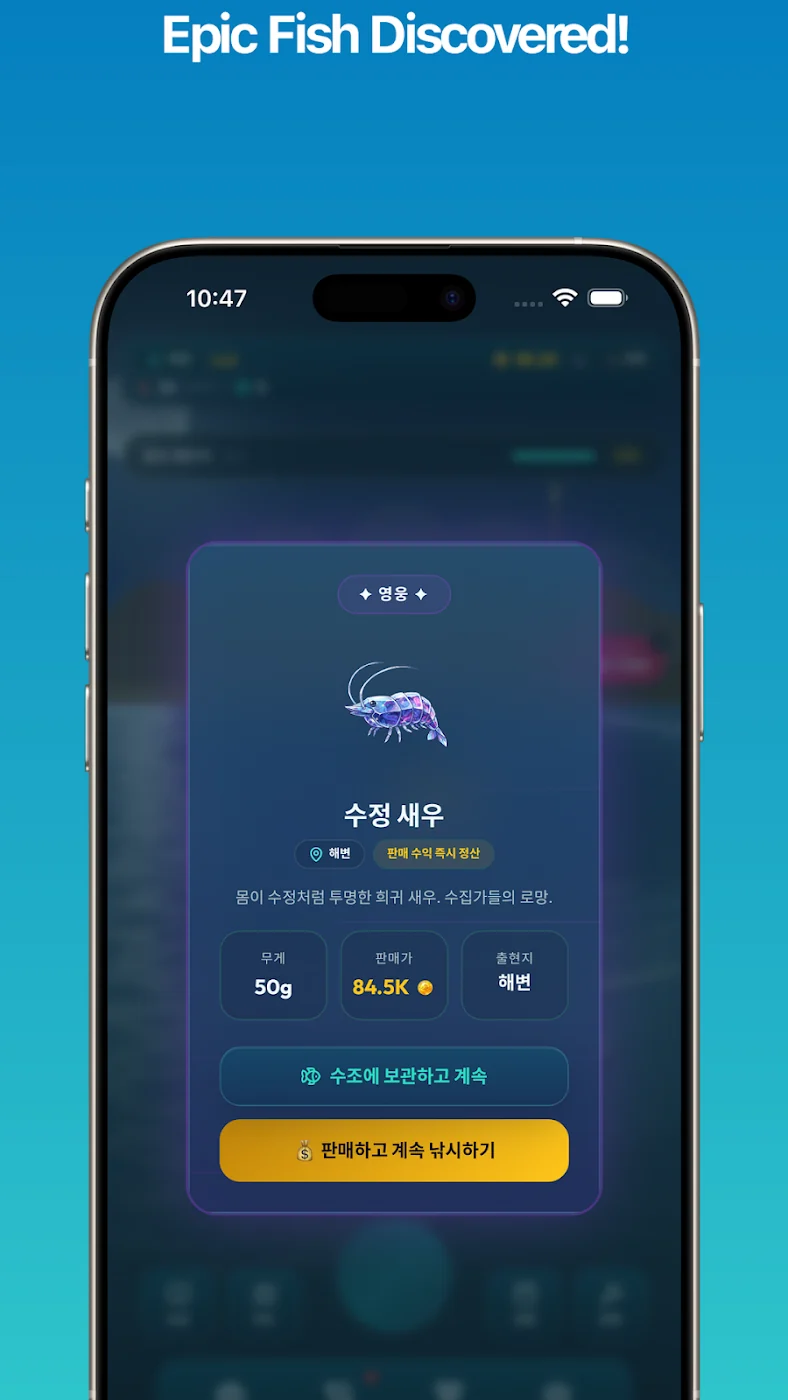
From the official gallery.

Developer-supplied store images; some artwork may show a different language or device frame. The installed interface can change with updates.

WAYS TO PLAY

Give this session
one purpose.

A little intention can make a short visit more satisfying. Choose the approach that fits your time and attention.

An active fishing break

Focus on reading the cue and making a deliberate response. For a practice session, pay attention to consistency rather than trying to collect everything.

An idle check-in

The developer describes progress while the app is closed. Treat a return visit as a chance to review your options; there is no need to make checking the phone part of a rigid routine.

A collection afternoon

Choose a part of the collection that interests you. These are our suggested ways to spend a session, rather than a list of separate menu modes.
PROGRESS & REWARDS

Enjoy the milestone.

Collection progress and an aquarium give catches a place in a larger project. Think of a milestone as a reason to enjoy what you have assembled, then choose the next one at your own pace. Read unlock conditions in the game before planning around an item; this website does not award items, currency or prizes.

YOUR OWN CHALLENGE

A better result starts
with a better question.

For a personal challenge, compare a few short sessions with the same objective. Notice how often you recognise the cue in time and whether you can explain a missed attempt. Keep your own notes if useful. A result means more when you understand the choices behind it.

PLAYING NOTES

Four habits worth keeping.

Change one thing at a time

Keep a familiar setup while trying a new habit. If you change the equipment, destination and timing together, it becomes harder to tell which decision made a difference.

Read before you invest

An available upgrade is an option, not an instruction. Compare it with your current goal and leave room to reconsider after another session.

Give the cue room

If your hand covers the timing feedback, adjust your grip between attempts. A comfortable position is easier to maintain than repeatedly compensating mid-catch.

Leave something for later

A collection can be enjoyed gradually. Set a stopping point before you start, particularly if a rare entry is tempting you into a longer session.

COMMUNITY CHALLENGE · ILLUSTRATIVE EXAMPLE

Make your next session
a personal best.

An example of how friends could compare practice goals. The names and points below are fictional; this is not a live game ranking.

Illustrative practice board — no submissions or rewards
PlaceExample playerFocusPoints
01HarbourFoxTiming practice320
02BluePebbleCollection notes280
03QuietReedUpgrade planning245

These example points are an editorial illustration, not an app currency or official scoring system. Gameza does not collect scores, run tournaments or distribute prizes.

COMMON PITFALLS

Leave these habits on shore.

Chasing rarity immediately

Start by understanding an ordinary catch. A dependable routine is a better foundation than repeatedly attempting a goal you do not yet understand.

Buying without a plan

Pause when several improvements become available. Write down the problem you want to solve before deciding what to buy in the game.

Treating a missed catch as wasted time

Identify the cue you missed or the moment you rushed. A useful observation can still make the next attempt more deliberate.

THE EDITORIAL VIEW

Make the next cast a little more deliberate.

What stands out in the official presentation is the combination of a brief active moment and a longer collecting project. That gives a player more than one way to decide what a satisfying session looks like. Our impression is based on the developer’s materials and screenshots, not a hands-on performance test.

Who might enjoy it?

A good one to investigate if you enjoy collecting, incremental decisions and short visits. Before installing, look at the timing screen in the gallery and decide whether you want that active element alongside a slower progression system.

Keep it a comfortable break

Use a readable screen brightness, give your hands a rest and stop when playing feels like a task. Younger players should review store settings and any purchase options with a parent or guardian.

DEVELOPER & UPDATES

A game that can change
between visits.

Published by Studio Solum. The latest update shown when this guide was checked is Aug 25, 2026.

The current release notes describe refreshed content, progression changes and stability work. Check the current release notes before updating, and revisit the controls if something feels different.

Read the current listing or contact for app support.

On our wishlist

A clearer journal for comparing earlier catches and more ways to organise favourite collection entries would be welcome. These are editorial suggestions, not announced features.

About this guide

Reviewed 30 September 2026. Our tips are editorial suggestions. We do not present invented user reviews, star ratings or an unannounced release schedule.

BEFORE YOU INSTALL

A few practical details.

Your device

Open Google Play on your Android device to check the current version, download size and compatibility. Leave room for updates and review permissions at first launch. An idle design alone does not guarantee offline access.

Ads and purchases

The listing identifies advertising and in-app purchases. Read the price and confirmation screen before accepting a charge. This website does not sell items or process payments.

App data practices

The developer declares collection and sharing of several data categories, including location and personal information, encryption in transit and a deletion-request option. Read the full current app disclosure before installation.

Website and app are separate

You can read this guide without an account. The app and Google Play have their own terms and privacy policies. Questions about a game account or application data should go to the developer.

QUESTIONS, ANSWERED

A little clarity
before the first cast.

Installation, playing advice and the difference between this guide and the game.

Where can I install the game?

Every download button here opens the official Google Play listing. Check the developer name and your device compatibility there before installing.

Is this the official game website?

No. This is an independent editorial guide. We do not claim a partnership with the game developer or Google Play.

How should I approach my first session?

Take your time with the opening instructions. Hold the phone so your thumb does not hide the cue, and let the first few attempts be practice.

What is one useful beginner habit?

Keep a familiar setup while trying a new habit. If you change the equipment, destination and timing together, it becomes harder to tell which decision made a difference.

Are the session ideas separate game modes?

They are editorial suggestions for how to spend your time. Follow the actual menu and instructions in your installed version for available modes.

Is the practice board a live leaderboard?

No. Its names and points are fictional examples. This website does not collect results, register players or award prizes.

Does the app have ads or paid content?

Read the ads and purchases section above, then check current store conditions. Confirm any charge only after reviewing the system purchase screen.

Will it work on my phone?

Google Play checks availability and compatibility for your device. Use the current listing for the Android requirement, app size and version.

Can I depend on offline play?

Check your installed version before planning a disconnected session. Downloads, updates and external services need internet access; idle progression and offline availability are different questions.

Are these tips based on a hands-on test?

This guide is based on official materials and editorial analysis. It is not a benchmark, security audit or claim of hands-on testing.

Who can help with an app problem?

Contact the developer at [email protected]. Include the app version and a clear description of the issue; never email your password or payment details.

How do I report a website correction?

Write to [email protected] with the page and the information you would like us to review. This is the website contact, separate from game support.

YOUR NEXT FISHING BREAK

There is always room
for one thoughtful cast.

Get it on Google Play